Showing posts with label SK-Vray. Show all posts

Tuesday, October 4, 2011

Sketchup-Vray Exterior Night Scene

For me, creating the night scene far more challenging than creating day scene. For day scene, all I have to do is create the modelling, then set the sunlight, set the vray parameter, et voila, the image is ready.

Whereas a night scene needs more effort. On one hand, I want to have a dark enough scene so I can show all of the additional lights, but on the other hand, it can't be too dark since we still want to see the buildings details. To solve this, I usually created the scene using Afternoon or dawn image background. So there's still enough light for the sky.

And we also have to design the lighting placement so those additional lighting will make our building looks more beautiful. But generally I use :
  1. Rectangle Vray Light with Invinsible=on, this will be the main source of light from inside of the building. The size usually big, from the ceiling towards the floor. Or you also can place it from the windows towards inside of the building. For this kind of light, you probably need to raise the subdivision about 15-25, depends on how big is your image output will be, so there won't be any noise.
  2. Rectangle Vray Light with invinsible=off. I will attach this kind of lamp right to the ceiling, or some lamps on my scene. I also use omni lights for round lamps. For this kind of lamps, I will raise the intensity value about 10-20 units higher than the invinsible lights around it. This so the light won't washed out by other lights.
  3. IES light, for uplight and downlight. You will need IES light file for this, you can find it from the internet either for free or buy it on the application stores. Personally I got mine from a friend, so, I wouldn't know exactly where to find them. But, for IES light, you need to try out some files to find the one that most suitable for your scene.
So in conclusion, if you don't have enough time, don't create a night scene ^_^

This image created without any Photoshop touch up


This is the Environment (Sunlight) setting for Vray Night Scene


Good Luck!


Saturday, October 1, 2011

Sketchup-Daytime Vray exterior Setting

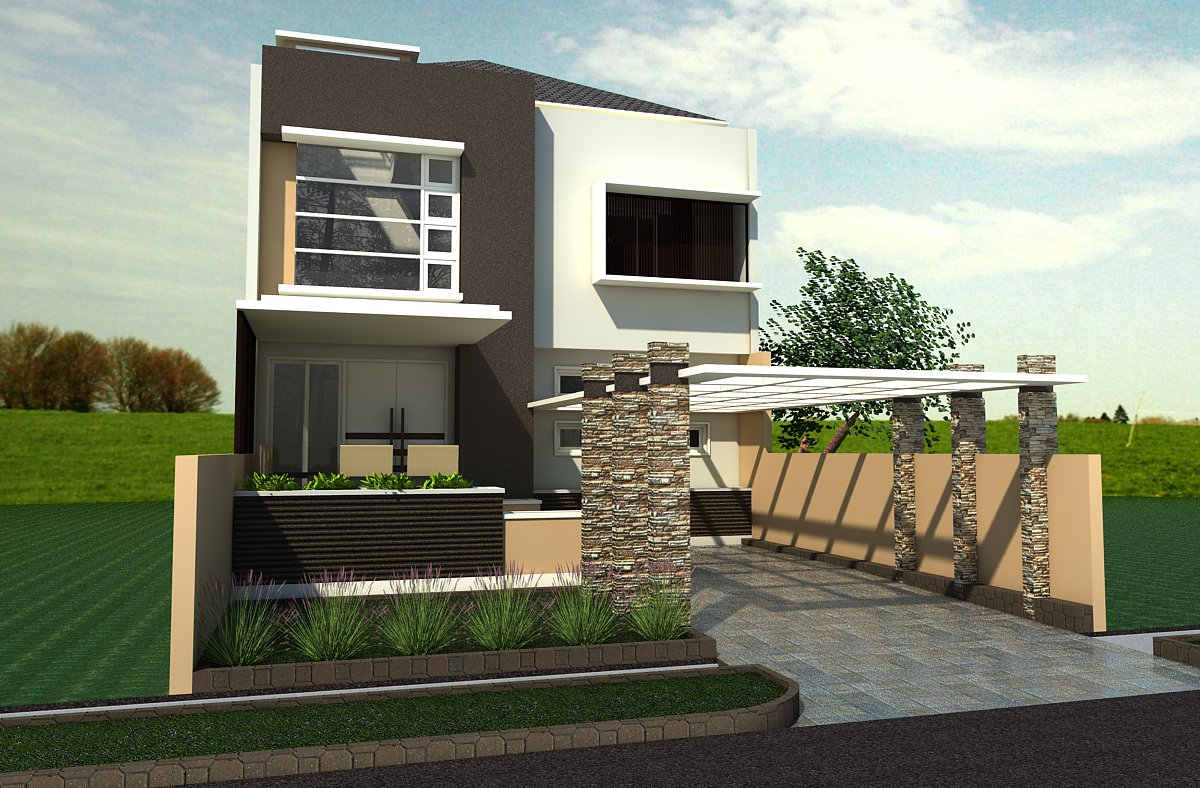
For me, creating a modern minimalist buildings using sketchup is fun and very fast, and it also helps me to develop the concept that I have in my head. But there is one thing that I still don't like from sketchup is the trees. I still haven't found any tree model that is realistic enough for my scene. And when I found some that a little bit realistic, the tree file would be so big that it actually scares my computer :P

Therefore, I'd rather use photoshop to add tree elements to my presentation. But maybe you have found a good sketchup vray tree model? Please, let me know, it would be really helpful.

For this tutorial, the rendering result is still raw, without any photoshop touch up. And the street lamp is still horribly fake. But for your own scene you can find a better one.


In the video, I'm also going to explain a little bit about vray displacement to help me created a more realistic grass and water. You can also use this displacement for creating a rug, cushion, etc. But one thing you have to remember, if you use a lot of displacement, your rendering time will be a lot longer.

Here is the tutorial as you can see on YouTube

And these are the Vray parameter that I'm going to use :


Have a nice time learning!

Sunday, June 19, 2011

Sketchup-Exterior Vray Animation

Vray Exterior setting is actually easier than ray Interior setting (at least for day scene), because we can simply use the default light from sketchup, adjust it in Vray parameter setting, and voila! You have yourself a Vray rendering.

Here's a few tips you can use when creating a Vray exterior rendering :
  1. When using wood, metals or any material that using reflection, if used only as accent and the quantity isn't dominant, you don't need to give it any reflection
  2. Bump value for exterior scene should be bigger than you usually use in interior scene, because sunlight can sometimes washout your texture.
  3. Check the back of your glass object (the inside part) because sometime you just map the material from the outside and the material will be see-through, but when you render it, it will create shadow (which of course we won't want from a glass material)
  4. If you using only one light direction and value for the entire scene, you can save you Irradiance Map Value and Light Cache Value to a specific file and then change the mode from Single Frame mode to From file mode. This way you can save a lot of rendering time.
  5. For exterior scene, you can add texture for your reflective material, such as glass or metal that is dominant in your scene. It will make it more realistic. But the texture should be in the same theme with your background


Have a nice day!

Thursday, April 28, 2011

Sketchup-Creating Vray Material

Vray materials in this tutorial are actually simplification from various possible way of making Vray Material for sketchup. This tutorial comprises:

1. Vray material standard, which actually automatically formed from Sketchup standard material
2. Material with Bump, for textured material
3. Glossy material, to make porcelain, marble, granite and such
4. Metallic material. I make gold material in this example, but with color adjusting you can also make iron, brass, chrome, copper etc
5. Glass material, which in its development can be plastic or water material

Keep in mind, that when creating a Vray texture in sketchup, make sure from the beginning which material you want to use and the size of the mapping you’re going to place. Because sometimes, after editing the standard material in Vray Material Editor, I find it difficult to change the texture. Sometimes I even have to start from importing the texture again.


Below, I only provide the fire texture for the fireplace. Other materials I used is pretty common, you can find them easily in your own library.


Have a nice day!

Tuesday, April 26, 2011

Sketchup-Vray Scene Setting

Vray is my most favorite rendering engine, even though I think it's a little bit slow on  the rendering process when I use it on Sketchup. In this tutorial I will show you how to set the fastest setting in  rendering parameter, but still give the optimum result.


But all of this parameters are not absolute. There are a lot of factor that affect your rendering result. For example, how big your window opening, what kind/color of material you are going to use, how many lights you place inside of your room, etc. All of those things will affect the result and your rendering speed. You have to be open for trial and error. A bit troublesome, I know. But the result will be worth all the trouble.


At the end of the tutorial, the rendering result may seem a little bit over bright. It's because we haven't place the material yet (we're going to discuss this on the next tutorial). So if you want, you can use the sketchup default material. It's compatible enough (with the exception with the opacity material) for Vray.


Family room


Have a nice day!!